
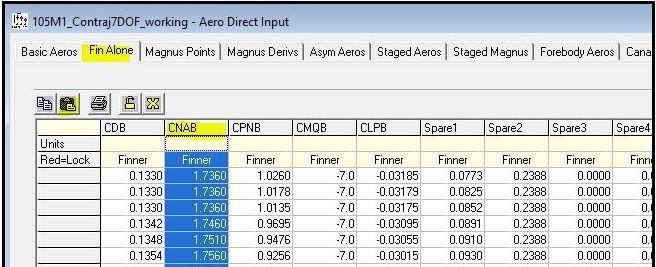
To Paste the saved CNA column into the "Fin Alone" table of our model with forward canards please do the following
- Click on the model with the forward canards so that it is the active projectile.
- Open "Aero Direct Input" which is found in the Analysis menu under Aerodynamics
- Go to the "Fin Alone" tab
- Click the "CNAB" heading which will highlight the column
- Click the Paste Icon. The paste Icon is on the task bar. It shows a clipboard with a piece of paper.
- Click OK on the pop-up message
The screen capture below highlights the process.
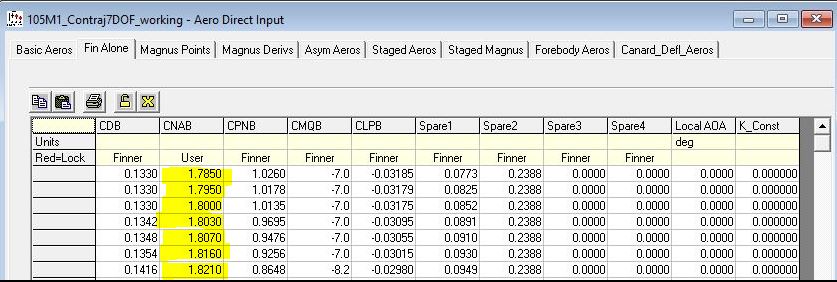
The screen capture below shows the table with the updated column.
|
Previous
Top
Next
|