
| Previous Top Next |
| Copy Forebody Properties from Model Editor |
Note, you will have to close and reopen "Trajectory Contraj 7DOF" for the template change to be applied to that analysis.
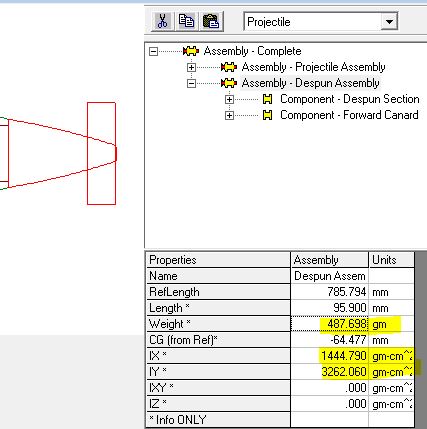
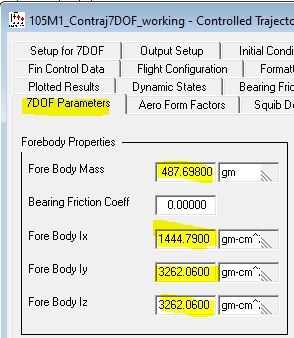
Now we can copy the forebody properties from the model editor to the Trajectory 7DOF's 7DOF Parameters Tab. Please do the following.
Note: The forebody IZ has been set to the same as the forebody IY (which would be the case if there were 4 fins). The PRODAS Mass Properties can only calculate axisymmetric bodies so the user may want to utilize a dedicated CAD program to get a more accurate IZ due to only 2 fins being present.
| From | To |
 |
 |
| © 2025 Arrow Tech Associates |