
| Previous Top Next |
| Copy Columns from the formatted output to the Basic Aeros table |
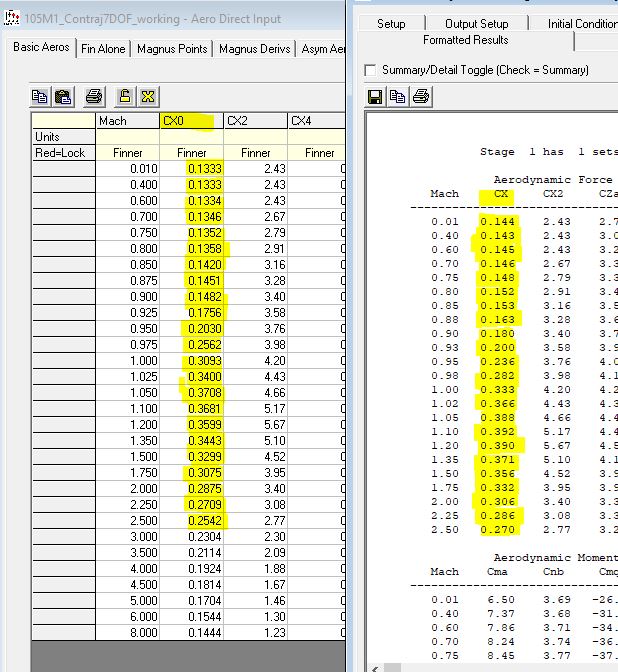
In this section of the tutorial, we will be copying 5 columns from the Contraj Formatted output to the appropriate columns in the "Basic Aeros" table. Contraj has generated these values and it is important to move and lock them in the "Basic Aeros" table so other analyses use the proper values.
The screen capture below shows the CX column from the Contraj formatted output which will be pasted into the CX0 column of the "Basic Aeros" table. Do not worry that the values we are copying only go up to Mach 2.5 whereas the PRODAS "Basic Aeros" table goes up to Mach 8. In this case Mach 2.5 is all we need.
| © 2025 Arrow Tech Associates |