
| Previous Top Next |
| Save to Cross Plots |
We are going to save the results to cross plots. We will compare the results to the Contraj results.
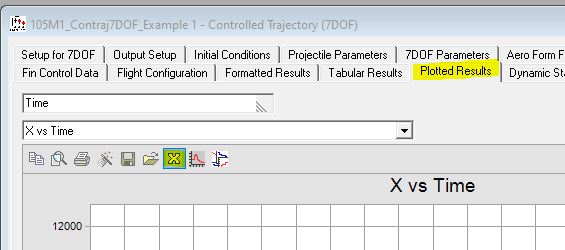
In the "Plotted Results" tab and click the "X" icon on the plot taskbar as shown below. Note, if the plot toolbar is not present right click on the plot and click "Toolbar".
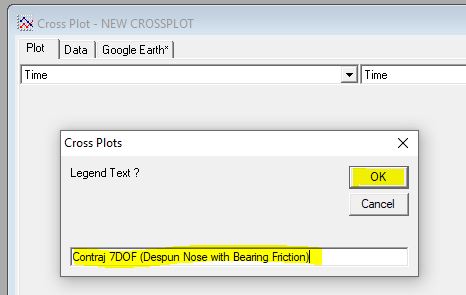
The interface to name the cross plot will appear. For this example, enter "Contraj 7DOF (Despun Nose with Bearing Friction)" then clicked OK as shown below.
| © 2025 Arrow Tech Associates |