
| Previous Top Next |
| Copy columns from Excel to Basic Aero columns |
For purposed of the tutorial we will demonstrate updating CX0 in the basic aeros table in the "Aero Direct Input" interface. We will leave it up to you to use the same method to update the other 5 columns.
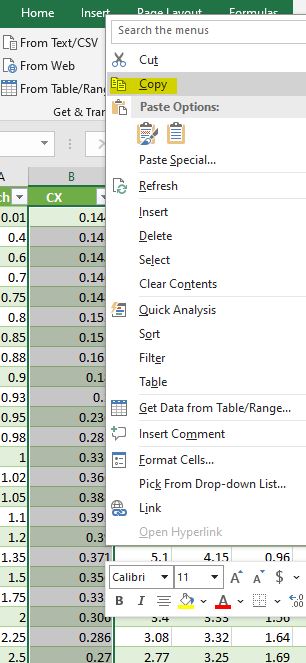
In excel highlight the data for the CX column, right click and choose copy as shown below.
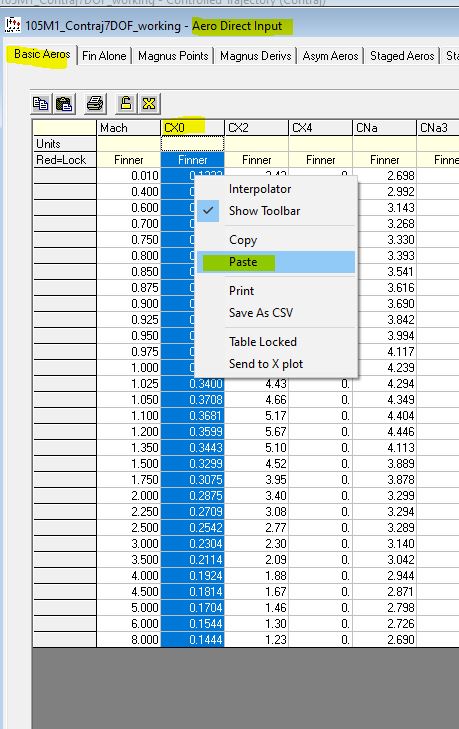
In PRODAS open "Aero Direct Input" on the "Basic Aeros" tab click the "CXO" column header to select the column. Right click and choose paste as shown below.
| Copy from Excel | Paste in PRODAS |
 |  |
Previous
Top
Next
|