
| Previous Top Next |
| Copy formatted output tables to text files |
We will need to turn each of the tables that have columns the we will be pasting to the "Basic Aeros" table into a text file. For the tutorial we will generate the first text file and paste one of the columns. The same process can be used to copy the rest of the columns. Please copy the other file and the rest of the columns on your own.
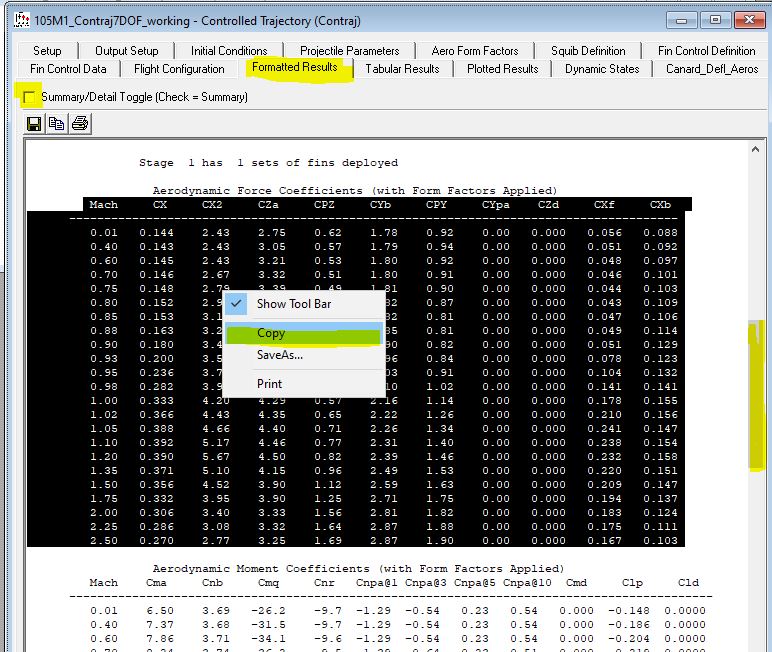
The screen capture below shows the first step of copying the first table. In the Contraj formatted output frame, in the detail view, scroll down to the "Aerodynamic Force coefficient table". On your own you will be doing the same thing to the "Aerodynamic Moment Coefficient" table.
Highlight the headings through the last line of the table. Right click and select "Copy" as shown below. This will put the entire table into a paste buffer.
| © 2025 Arrow Tech Associates |