
| Previous Top Next |
| Verify Magnus tables are locked |
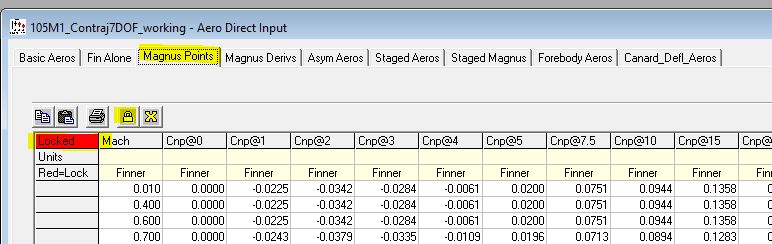
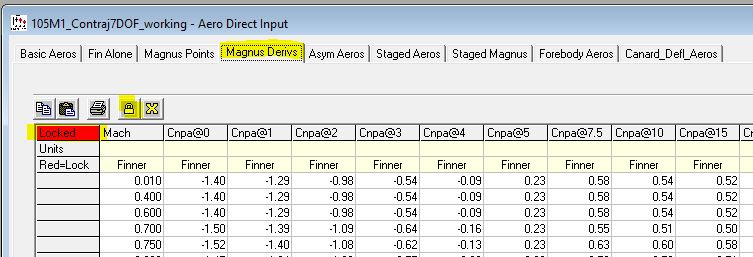
Early on in the tutorial the "Magnus Points" and "Magnus Deriv" tables were locked. Before we go into our Contraj analysis please make sure the tables are locked. Open the "Aero Direct Input" which is in the Analysis menu under Aerodynamics. Go to both the "Magnus Points" and "Magnus Derivs" tabs. For each verify that the upper left corner of the table is highlighted in red and says "Locked". If not, lock the whole table by clicking the padlock icon on the task bar as shown below. The padlock icon toggles whether the whole table is locked or unlocked.
| © 2025 Arrow Tech Associates |