
| Previous Top Next |
| Lock Selected Spinner Aeros Columns |
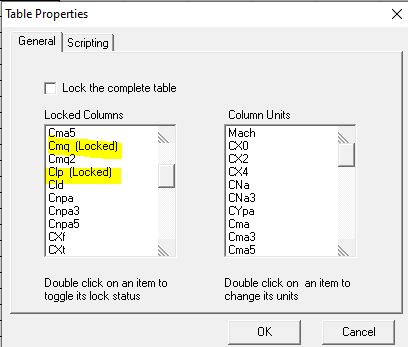
To lock the five "Basic Aeros" columns, double click on the "Spiner04" Box. An interface will pop up and the user should lock the appropriate columns by double clicking the item in the left frame. The following screen shot indicates the "Spinner04 box to double click" as well as the form used to toggle the column locks. It shows two of the locked items. After locking all 5 columns click "OK".

The next two screen captures show the final 3 locked columns selected.
 |
 |
| © 2025 Arrow Tech Associates |